

4 min read

Integrated Shipping Software & ERP Integration

Integrated Shipping Software & ERP Integration
ERP Software Integrated Shipping Software
8:38

Why US shippers need integrated ERP and shipping software

For US manufacturers, distributors, and eCommerce brands, integrated shipping software connects your ERP or accounting system directly to parcel and LTL carriers. It automates address validation, rate shopping, label creation, and tracking, reducing manual entry, shipping errors, and freight spend while speeding up fulfillment and cash collection.

Many US companies have already invested heavily in ERP, Acumatica, Sage 100, SAP Business One, Microsoft Dynamics, QuickBooks, and others, yet shipping is still handled in carrier portals or spreadsheets. Every time a user retypes an address, service level, or weight, they introduce the risk of error and delay. A mistyped ZIP code can create residential surcharges, re‑delivery fees, and unhappy customers.

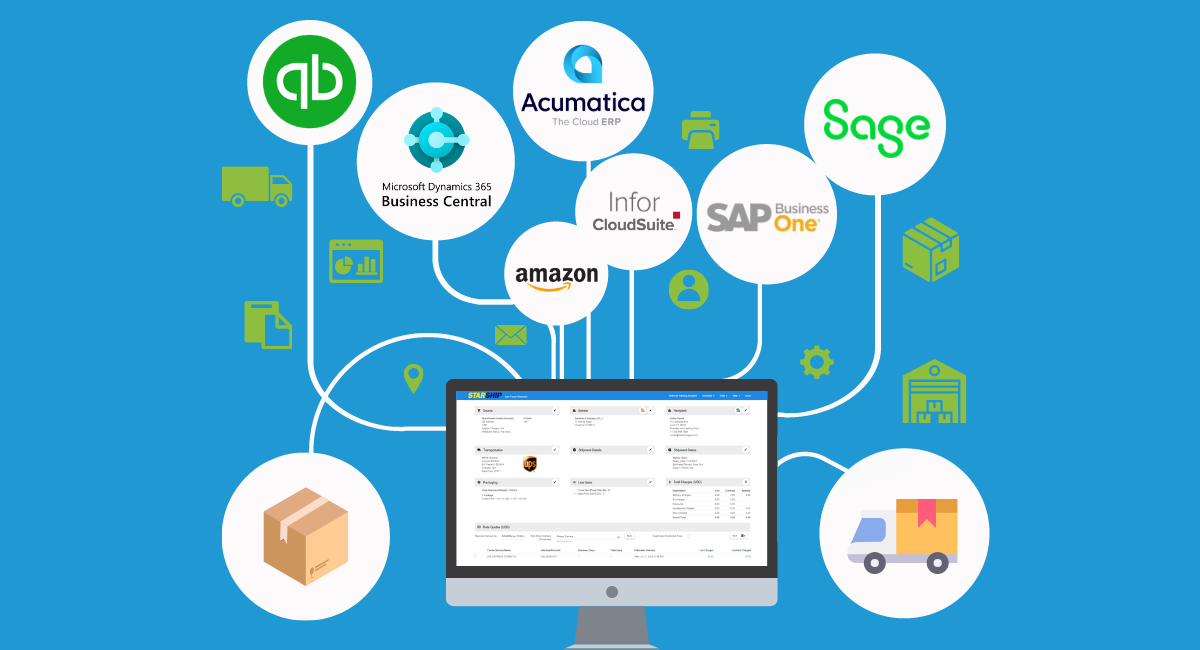
By integrating ERP with multi‑carrier software like StarShip from V-Technologies, shipping becomes part of the same workflow that drives orders and invoicing. For example, a distribution company can pull order data from Acumatica, rate shop UPS and FedEx in a single screen, generate labels, and write tracking numbers back to the ERP automatically.

One US manufacturer highlighted in a StarShip case study eliminated hours of manual shipment entry per day after integrating StarShip with Acumatica. That time went directly back into production and customer service instead of copy‑and‑paste work.

Key ERP shipping data flows that cut costs and errors

The value of integration comes from very specific data flows between your ERP and shipping system. Order details, ship‑to addresses, freight terms, and item weights originate in your ERP. StarShip reads that data, applies carrier rules, then writes back freight charges, tracking numbers, and status updates.

Consider a mid‑size distributor shipping hundreds of orders daily from Sage 100. Without integration, a user opens each order, retypes the address into a carrier site, selects a service level, and manually keys tracking and freight back into Sage. Every manual touch is a chance for mistakes that can trigger credits and time‑consuming investigations.

With ERP–StarShip integration, the same distributor can batch orders, rate shop across UPS, FedEx, USPS, and LTL carriers using contracted rates, then push shipment details back to the ERP automatically. Item weights and dimensions from the ERP help avoid dimensional weight surprises, while rules can flag residential deliveries or liftgate requirements before the truck arrives.

Another high‑impact flow is billing. When shipments are processed in StarShip, freight charges can flow directly to invoices in systems like QuickBooks or Acumatica. That reduces delayed billing and speeds cash flow, especially important for US companies managing tight margins and rising carrier costs.

Common US integration challenges and how to avoid them

Even in the US market, ERP–shipping integration projects can stumble for predictable reasons: messy data, unclear ownership, and underestimating real‑world shipping complexity. The good news is that these challenges can be managed with planning.

Address quality is a frequent problem. If customer records in ERP contain outdated or incomplete addresses, an integrated system will faithfully pass bad data to carriers. Before connecting StarShip, companies should clean and standardize customer and ship‑to records. Built‑in address validation in StarShip can then prevent future errors at label time.

Another challenge is trying to replicate every edge case from day one. US shippers often manage blind drop shipments, third‑party billing, hazmat, and multiple warehouses. Attempting to automate all of this in one phase can slow projects and frustrate teams. A better approach is to start with core parcel workflows and expand as confidence grows.

Finally, many businesses underestimate internal change management. Warehouse and customer service teams may be comfortable with carrier websites. Without training and clear benefits, adoption stalls. StarShip projects that succeed typically assign a project owner, involve warehouse leads early, and pilot with one location before rolling out nationwide.

Best practices for a smooth ERP,  StarShip integration project

A successful integration is less about code and more about process clarity. The most effective US shippers follow a few consistent best practices when connecting ERP and StarShip.

First, they define measurable goals: reduce manual keyed fields per shipment by 70%, cut invoice exceptions related to freight by 30%, or shorten order‑to‑ship time by five minutes per order. These targets help keep the project focused on outcomes, not just features.

Second, they map current workflows from order entry through invoicing. This includes which team creates the shipment, who approves freight methods, and when tracking numbers are shared with customers. That mapping clarifies which system is the source of truth for each data element.

Third, they prioritize integrations by impact. For example, start with pulling orders from Sage 100 or Acumatica into StarShip, then writing tracking and freight back to the ERP. Later phases can add eCommerce integrations, such as Amazon or BigCommerce, using StarShip’s connectors to centralize shipping.

How StarShip improves day-to-day shipping operations

Once live, StarShip changes daily work for shipping and customer service teams in very concrete ways. Instead of juggling multiple carrier portals, users work from a single interface connected directly to their ERP or accounting system.

On the warehouse floor, a picker or packer can scan an order number from Sage 100 or QuickBooks, have StarShip automatically populate the shipment, and see real‑time rates from UPS, FedEx, USPS, DHL, and LTL carriers. Rules can choose the least‑cost service that still meets the customer’s promise date, reducing annual freight spend.

For companies shipping multi‑box orders, StarShip allows all cartons to be processed in one transaction. Labels and tracking numbers are generated together, eliminating the partial‑shipment confusion that often appears when teams bounce between tools. Customer service can then see full shipment details directly in the ERP without logging into a separate system.

In one real‑world example highlighted by V-Technologies, QuickBooks users frustrated with limited built‑in shipping tools adopted StarShip to regain support for multi‑package shipments, third‑party billing, and robust rate shopping. The result was fewer workarounds, faster training for new staff, and a more consistent customer experience.

Evaluating if StarShip is the right fit for your ERP

For US organizations, the final question is whether StarShip is the right integration partner for their ERP strategy. The answer depends on shipping volume, carrier mix, internal resources, and which systems are already in place.

Start with a short checklist. Do you process enough daily shipments that manual carrier entry slows fulfillment? Are you using ERPs like Acumatica, Sage 100/300, SAP Business One, Microsoft Dynamics, or QuickBooks and want bi‑directional data exchange? Do you rely on multiple parcel and LTL carriers and need consistent rate shopping and rules?

If the answer is yes to several of these questions, evaluating StarShip makes sense. Request a demo focused on your actual workflows, not a generic tour. Ask to see how orders from your type of ERP would flow into StarShip, how tracking and freight write back, and how rules can enforce your business policies.

Finally, consider long‑term scalability. Choose an approach that supports additional carriers, new sales channels, and more warehouses without re‑inventing your integration. StarShip’s multi‑carrier support and broad ERP and eCommerce integrations position it as a strong option for US businesses that want to simplify shipping, cut errors, and support growth without adding headcount at the shipping station.

Why Buy Sage 100 ERP StarShip Link 2.0 Shipping Software?

Why Buy Sage 100 ERP StarShip Link 2.0 Shipping Software?

Because you need shipping software with: Line item shipping software integration that retrieves item information to further automate...

Read More
Shipping Software Integrated with Sage 100 ERP Saves Time and Money

1 min read

Shipping Software Integrated with Sage 100 ERP Saves Time and Money

You sold your product, you've packaged it up and now it is time to ship. The most successful companies understand the value of business process...

Read More