Sage 100 ERP (MAS 90): How to Print Long Sales Order Inventory Descriptions
Question: Mike, we own Sage 100 ERP (formerly Sage MAS90), we have lengthy inventory extended descriptions, how can we get these to print on sales...
1 min read

Question: Mike, we own Sage 100 ERP (formally Sage MAS 90, MAS 200) and in the past the CPA and I have had to make a single sided journal entry, it happens so seldom, I don't recall how to do it. Please assist me.
Answer:
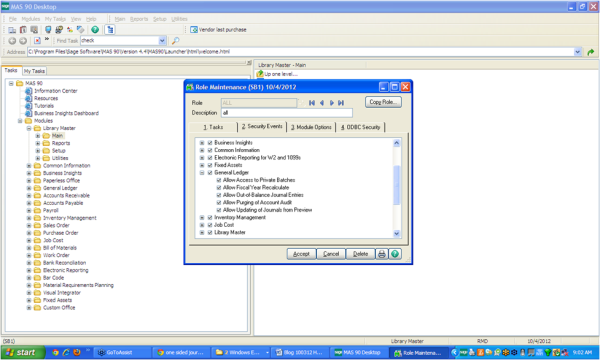
First step: You need to make sure you have security enabled to do a one sided entry. Under Library Master>Main>Roles> Security events the “allow out of balance journal entrys” under General Ledger should be checked.
Second step:
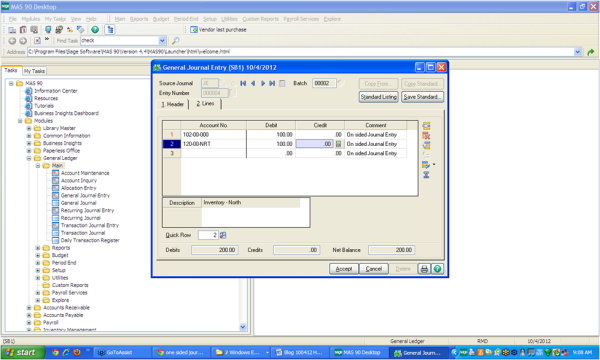
Go the Sage 100 ERP General Ledger>Main>General Journal Entry and create a new Journal Entry. Enter just the one sided account entry you want to do.
Third step:
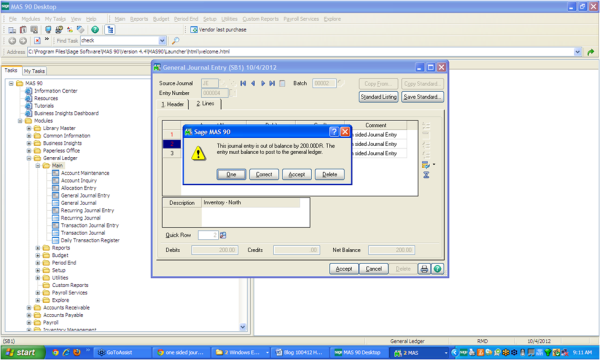
Then click Accept, a screen will pop up starting that the Sage 100 ERP Journal Entry is out of balance. You will see that one of the buttons in “ONE”. Click on ONE and print the General Journal and post as usual.
Mike is and expert on Sage 100 ERP with over 25 years in the accounting software industry. Mike is also a Sage Certified Trainer and a recognized leader in the design, implementation and support of ERP systems, including Sage.
Sage 100 ERP (formally Sage MAS90/200), Sage 100 Fund Accounting (formally MIP Non Profit Software), Sage Grant Management, Sage Online Fundraising, QuickBooks Enterprise and Point of Sale VAR.
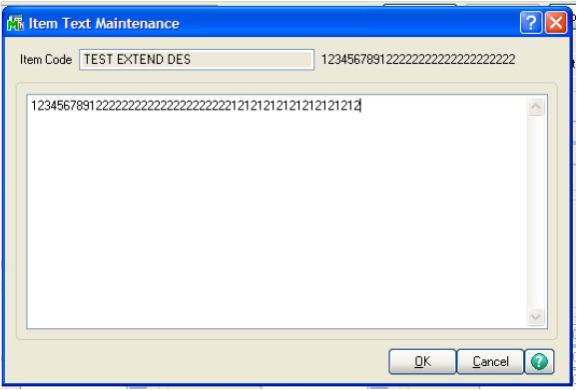
Question: Mike, we own Sage 100 ERP (formerly Sage MAS90), we have lengthy inventory extended descriptions, how can we get these to print on sales...
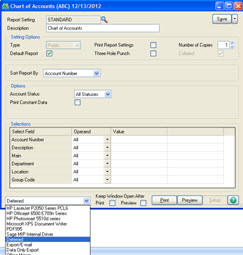
Question: We own Sage 100 ERP (formerly Sage MAS90), we would like to use the Deferred Printing function. How does this work, and what is its...

Question: Mike, we own Sage 100 ERP (formerly MAS 90), while printing to a paperless office, the system just hangs and does not complete or respond.