
Sage 100 ERP version 4.5: Where did my Custom Financial Reporting go?
Sage 100 Tips and Tricks - Custom Financial Reporting Question: Mike, we own Sage 100 ERP (formerly Sage MAS90),
1 min read
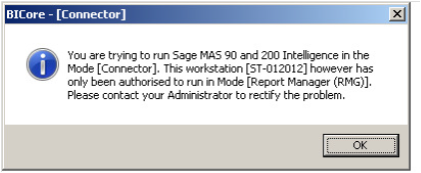
Question: Mike, we own Sage 100 ERP (formerly Sage MAS90), we just added the Connector and Report Designer to the Sage Intelligence Report Manager. When we try to open up the Connector, we get the following error, how do we properly register these new licenses?
Answer: This error indicates that either the Connector has not been registered properly or you have an incorrect Serial Number.
Step One: When you purchased the new modules Sage should have sent a new Serial Number.
Step Two: Open up the License Manager in Sage Intelligence, Programs>Sage>Sage Intelligence>License Manager.
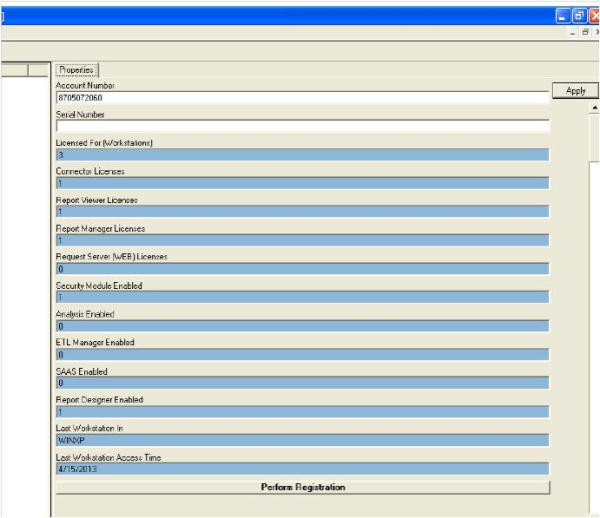
Step Three: Verify the Account Number is correct, type in the new Serial Number and click the Apply button on the far right, this will fill in the Connector Licenses and Report Designer with the connect number that you have purchased.
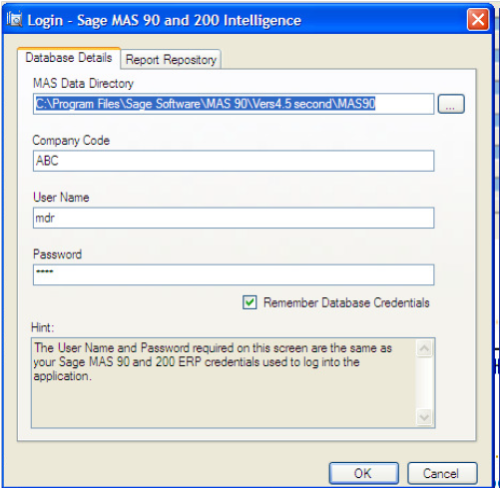
Step Four: At the bottom click Perform Registration, this should properly register the product and you should then be able to open the connector as shown below.
Written by Mike Renner, Partner WAC Consulting, Owner at Computer Accounting Services
Mike is and expert on Sage 100 ERP with over 25 years in the accounting software industry. Mike is also a Sage Certified Trainer and a recognized leader in the design, implementation and support of ERP systems, including Sage.
Sage 100 ERP (formerly Sage MAS90/200), Sage 100 Fund Accounting (formally MIP Non Profit Software), Sage Grant Management, Sage Online Fundraising, QuickBooks Enterprise and Point of Sale VAR.

Sage 100 Tips and Tricks - Custom Financial Reporting Question: Mike, we own Sage 100 ERP (formerly Sage MAS90),

Sage 100 ERP Sage Intelligence Are you already using Sage Intelligence Reporting? Read more to learn how the new features in Sage 100 ERP Sage...

Question: Mike, we own Sage 100 ERP(formerly Sage MAS90). We also own FRx. Why should we consider the new product, Sage Intelligence?